At some point I got tired of IPv4 and NAT and started to love IPv6, especially for situations when each device needs to have its own globally routable address and I don’t want to write another port forwarding rule. Unfortunately, there are plenty of ISPs that do not support IPv6 and I’ve been unlucky to have one of those for the past several years.
But among various changes in my life I now have new ISP (DIGI España) with IPv6! Of course things can’t just work out of the box, especially when someone like me wants to have more control over their network.
DIGI provides its customers with standard routers, most likely running slightly customized firmware. In my case it is ZTE H3600P and the only account available to me was user which very unlikely would allow me to configure all the options exposed by the firmware.
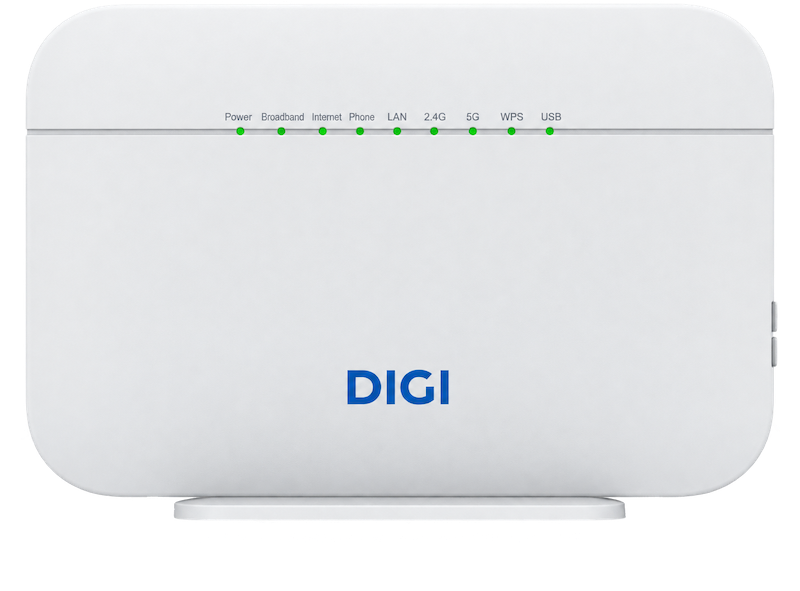
Since it is a very common situation, what I usually do with an ISP-provided router is:
- Disable Wi-Fi on the ISP router.
- Connect my MikroTik to it via Ethernet.
That way all my devices connect to my MikroTik, which I have full control over. It lets me configure VLANs, guest networks, firewall rules and much more.
Why would I keep the ISP-provided router? Well, primarily for troubleshooting connectivity issues, as it gives the ISP’s support a familiar device to work with, and maybe even allowing them to run remote diagnostics and check the connection from their side.
I have IPv6, now I want IA_PD
IA_PD (Identity Association for Prefix Delegation) is a DHCPv6 mechanism that allows a router to request an IPv6 prefix from its upstream router or ISP, so it can assign subnets to its own LANs. You can learn more about it in RFC 9915.
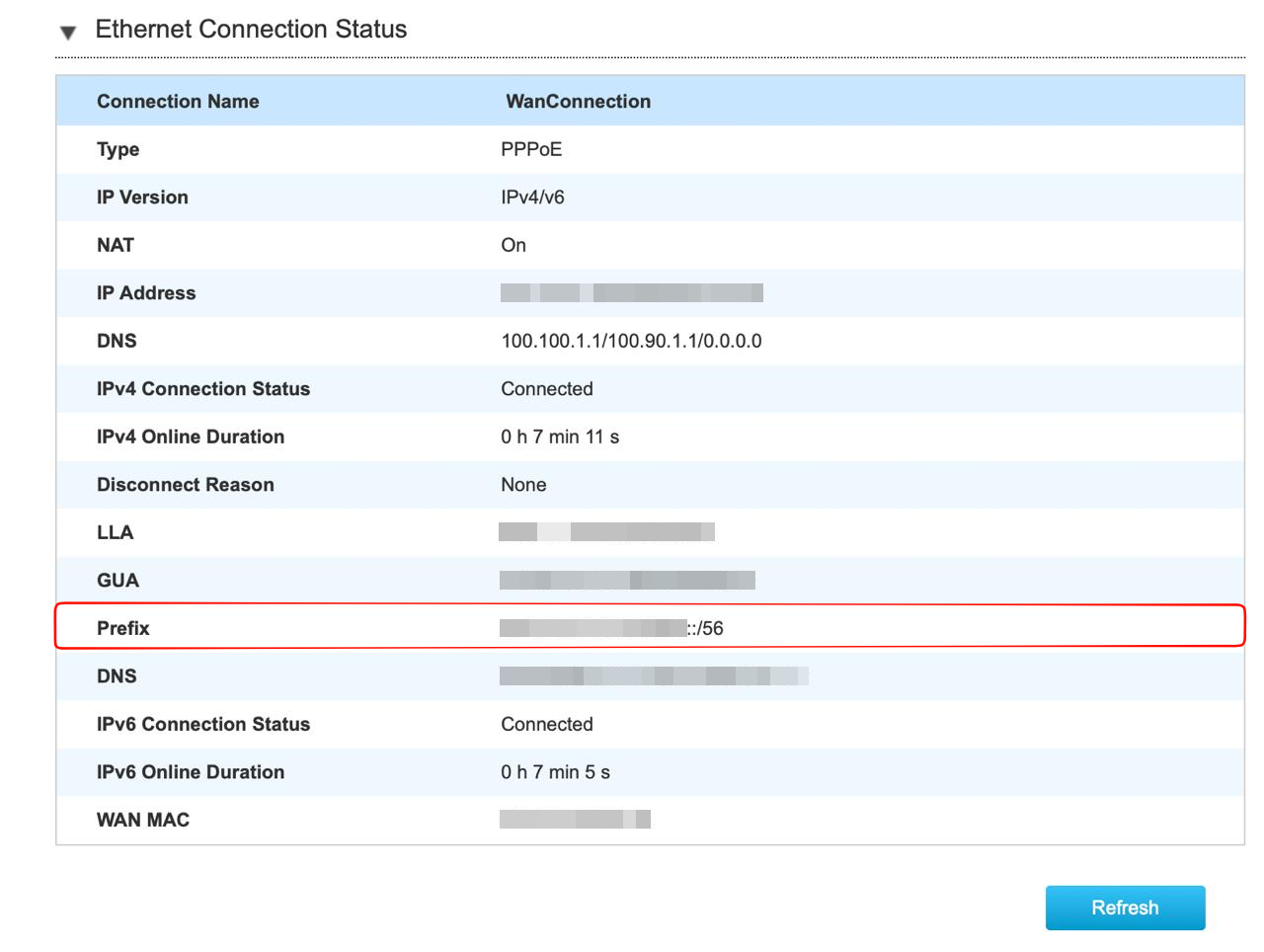
So in my case IPv6 /56 prefix means that the first 56 bits of an IPv6 address identify allocated network range, leaving 72 bits for addresses within that range. If router supports prefix delegation it can delegate a prefix to the downstream router (MikroTik in my case) allowing it to assign separate IPv6 subnets to different LANs and devices.
Good news: ZTE H3600P has a prefix delegation option. Bad news: it doesn’t seem to work.
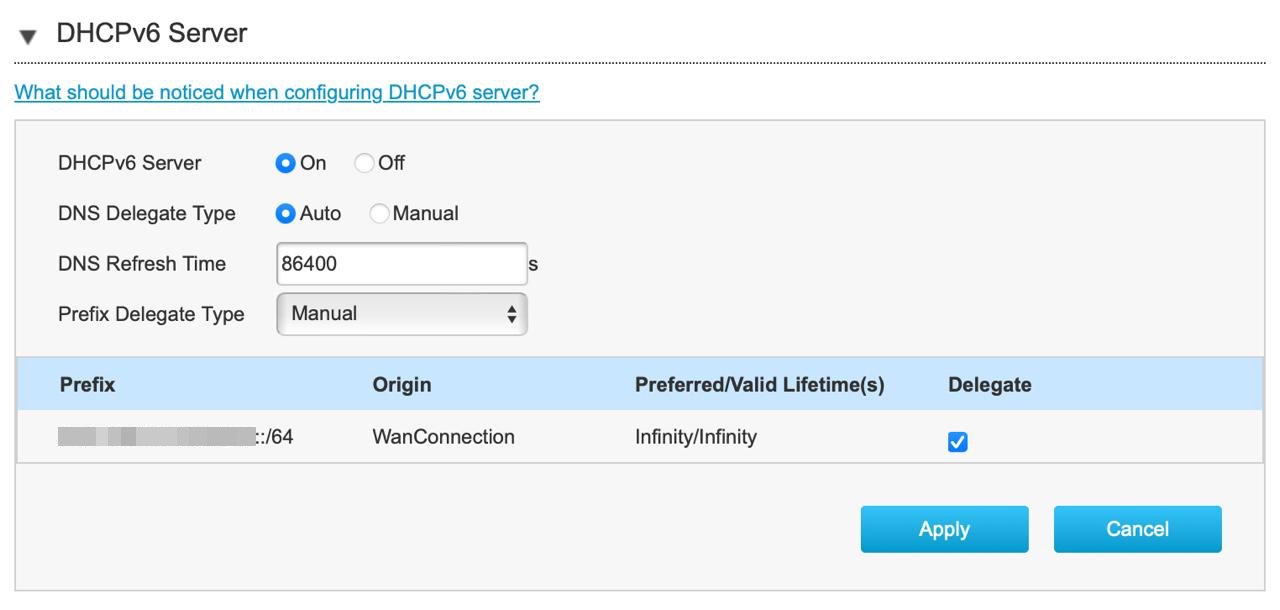
I’ve tried all possible configuration options and got the same result: prefix was never delegated downstream. And it seems I was not alone, someone mentioned the same problem on BandaAncha in 2024.
Replace ZTE H3600P with MikroTik
If things would be easy, there would be nothing to write about.
I’ve tried connecting MikroTik directly to the ONT (Optical Network Terminal), but couldn’t establish an Internet connection. Something missing in the WAN configuration?
The only way to discover what could be missing is to check what is being sent by the DIGI router. How? Setup a sniffer between ONT and the router, and analyze the traffic.
In my case I used MikroTik router, but anything with two network ports would work:
- Backup your existing configuration
/export file=before-sniffing
/system backup save name=before-sniffing
- Create a temporary bridge
/interface bridge add name=sniffer protocol-mode=none
- Connect two ports through the bridge (those are the ports connected to ONT and DIGI router)
hw=nodisables hardware offloading, which is useful for sniffing.
/interface bridge port add bridge=sniffer interface=ether4 hw=no
/interface bridge port add bridge=sniffer interface=ether5 hw=no
- Start capturing traffic
/tool sniffer set filter-interface=ether4,ether5 \
    file-name=sniff.pcap file-limit=10000KiB
/tool sniffer start
-
Power on the DIGI router and wait a couple of minutes
-
Stop the sniffer
/tool sniffer stop
-
Download
sniff.pcap(scp or WinBox) -
Clean up the temporary configuration or just restore from the backup
/interface bridge port remove [find bridge=sniffer]
/interface bridge remove sniffer
Analyze captured data
You can read things in hex if you want, but I am using Wireshark
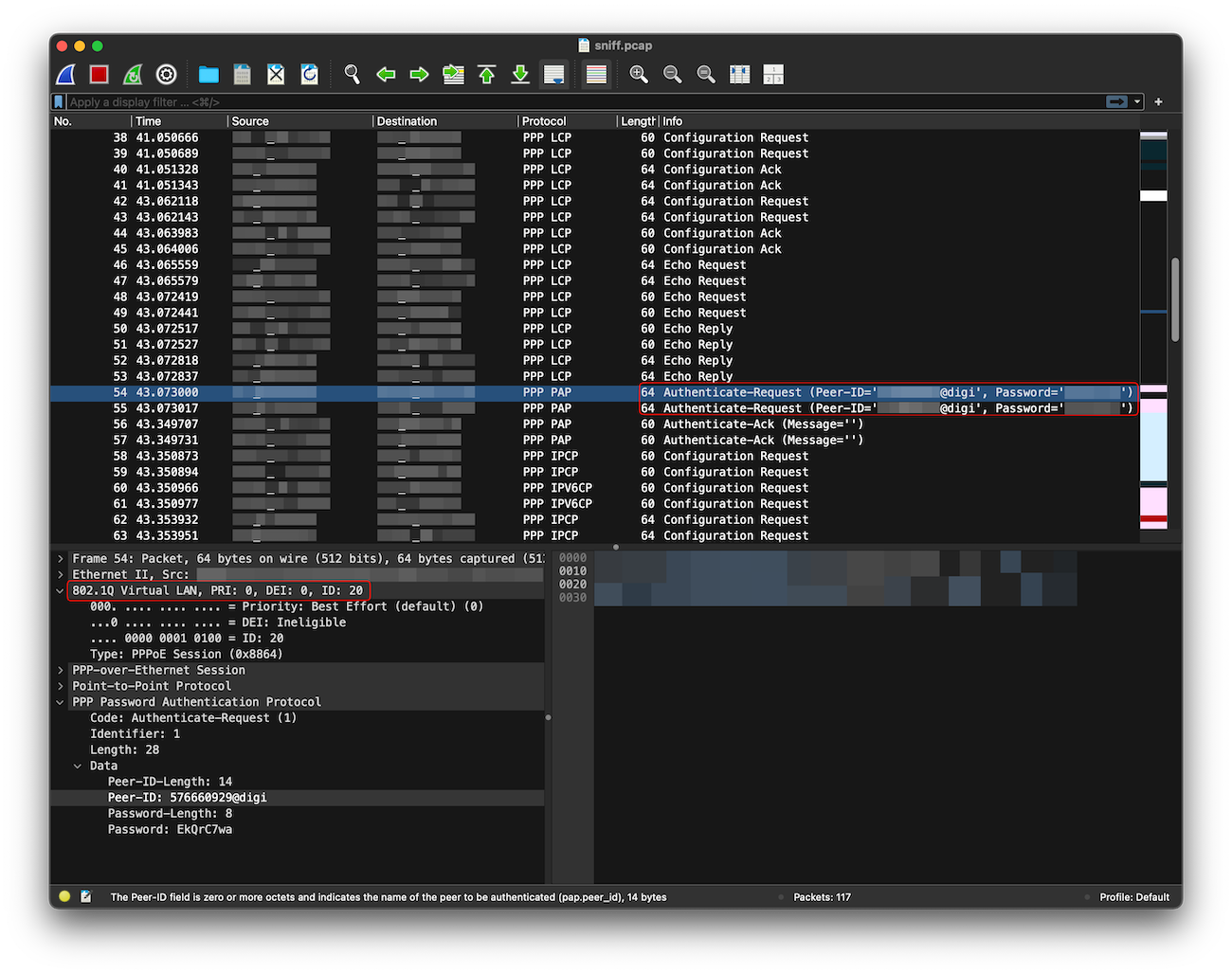
From the captured traffic we know that DIGI is using PPPoE for which we were able to capture username and password. Username is of format xxx@digi. Another interesting observation is tagged VLAN. It seems that DIGI is using VLAN ID 20 (which might be different for your case).
Adding the missing configuration
Now that we know what’s missing, we can add things to the MikroTik configuration:
- VLAN
/interface vlan add name=digi-vlan vlan-id=20 \
    interface=ether1-wan \
    comment="VLAN for DIGI ISP"
- PPPoE client with discovered username and password
/interface pppoe-client add name=digi-pppoe \
    interface=digi-vlan \
    user=xxx@digi password=xxx \
    add-default-route=yes \
    use-peer-dns=yes \
    profile=default-encryption \
    disabled=no \
    comment="PPPoE for DIGI ISP"
- If your firewall rules use an interface list named
WAN, add the PPPoE interface to it. Add the VLAN interface too only if your rules or configuration requires it.
/interface list member add interface=digi-vlan list=WAN comment="DIGI ISP VLAN"
/interface list member add interface=digi-pppoe list=WAN comment="DIGI ISP PPPoE"
- Clone MAC address of your DIGI router You can find your MAC address on the sticker, or from the management UI or from the captured packets.
/interface ethernet set [find name="ether1-wan"] mac-address=c0:ff:ee:00:00:01
Now you can simply plug your ISP cable into your WAN port, and if everything was configured correctly, you should see status: connected:
/interface pppoe-client monitor digi-pppoe once
IA_NA, IA_PD
The DHCPv6 client can request both an address (IA_NA) and a delegated prefix (IA_PD). The address is for the router itself, while the delegated prefix can be split into subnets for its LANs. The ISP may provide either or both, depending on its configuration.
/ipv6 dhcp-client add \
    interface=digi-pppoe \
    pool-name=pool-pd \
    request=address,prefix \
    add-default-route=yes \
    use-peer-dns=yes \
    rapid-commit=yes \
    comment="DHCPv6 with prefix delegation"
Verify that things are working:
/ipv6 dhcp-client print detail
You should see status=bound and address with delegated prefix:
Flags: D - dynamic, X - disabled, I - invalid
 0    ;;; DHCPv6 with prefix delegation
      interface=digi-pppoe status=bound duid="0x0000000"
      dhcp-server-v6=fe80::1 request=address,prefix add-default-route=yes
      default-route-distance=1 use-peer-dns=yes pool-name="pool-pd"
      pool-prefix-length=64 prefix-hint=::/0 dhcp-options=""
      prefix=xxxx:xxxx:xxxx:xxxx::/56, never
      address=xxxx:xxxx:xxxx:xxxx::xxxx:xxxx, never
Interfaces configuration
- Add an IPv6 address to MikroTik’s LAN interface using the prefix obtained from DIGI
/ipv6 address add \
    address=::1/64 \
    from-pool=pool-pd \
    interface=br1-lan \
    advertise=yes
- Now we have to configure ND (Neighbor Discovery) because IPv6 clients need to discover their router and learn which IPv6 prefix to use on the LAN. The most important part of ND is RA (Router Advertisements) entry for
br1-lan
/ipv6 nd add \
    interface=br1-lan \
    ra-interval=3m20s-10m \
    ra-delay=3s \
    ra-lifetime=30m \
    advertise-mac-address=yes \
    advertise-dns=yes \
    managed-address-configuration=no \
    other-configuration=no
Verify that everything works
In my case I am on Mac, things might be different for your OS:
- Look for an address, ideally within your delegated DIGI prefix. If you’re using Wi-Fi,
en0is commonly the right interface.
ifconfig en0 | grep inet6
	inet6 xxxx:xxxx:xxxx:xxxx:xxxx:xxxx:xxxx:xxxx prefixlen 64 autoconf secured
	inet6 xxxx:xxxx:xxxx:xxxx:xxxx:xxxx:xxxx:xxxx prefixlen 64 autoconf temporary
- Check connectivity to Cloudflare’s IPv6 DNS address, without relying on DNS resolution yet
ping6 -c 4 2606:4700:4700::1111
- Confirm that everything works with DNS resolution as well. It should return your IPv6
curl -6 -sS https://api64.ipify.org
Before enabling IPv6, review your firewall rules.
IPv6 addresses can be globally routable. Ensure unsolicited inbound traffic is blocked and only explicitly permitted connections are allowed.
It took a bit more digging than I expected, but I finally got IPv6 working on my MikroTik, with a delegated prefix that I can use across my LAN.
The main takeaway is that having IPv6 on your ISP router doesn’t necessarily mean you can delegate a prefix to your own router. When the configuration options don’t work as expected, capturing and inspecting the traffic can tell you much more than guessing.
Of course I could just call DIGI technical support, but my Spanish is not that good yet :-)
Nos vemos!